
Drop Authenticator, the popular, free app for Android to generate 2Fa codes, is getting its biggest update yet. Rolling out to beta testers starts today!
At over 1 million downloads and currently 40 thousand active users, Drop Authenticator is probably my most popular side project. I created it many years ago as an alternative to Google Authenticator with many improvements (mostly: backups, sharing, and no tracking) for power users. And while the app has gained a steady following and has been pretty much feature-complete for a long time (safe for security improvements) it started to become old and near impossible to update.
A complete rewrite
Originally written in Java with XML layouts, the landscape (and I) had moved on to Kotlin/Compose. This switch of language and framework was the biggest driver for rewriting rather than refactoring.
So, the new Authenticator v2 is a complete rewrite from the ground up. Every line of Java code has been either completely thrown out or transformed into Kotlin. All layouts have been replaced with Jetpack Compose components. It has taken many hours of spare time to get this done, but it is finally stable, passing all tests, and fully backwards-compatible with the original app (and its backups!).
How old?
Drop Authenticator 1.0 was built using Cupboard, a database management framework that saw its last update 10 years ago! One could argue the app was outdated, or that it was build for the ages.
What has changed
Besides everything internally, there are more improvements:
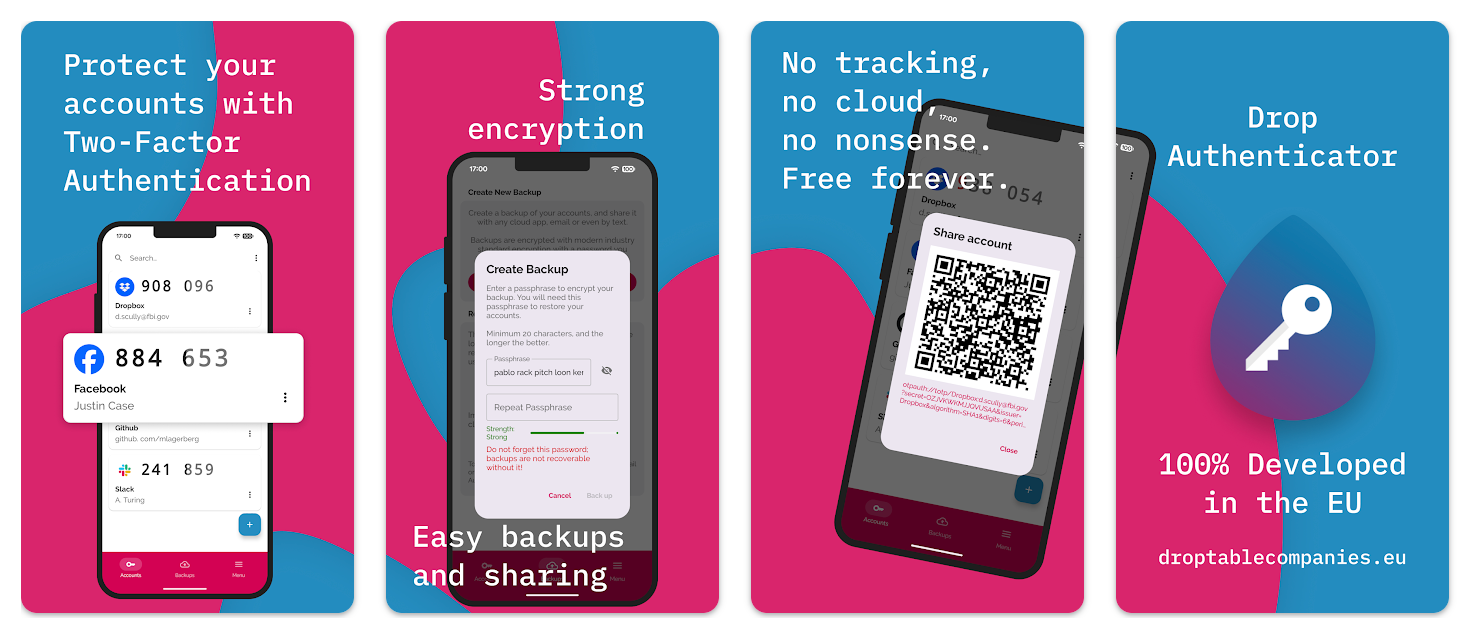
- Support for exporting backup files. Previously backups were either shared through apps, or kept internally in the app. The update supports exporting backups to the file system, so you can sync them with Syncthing or Resilio, or through adb commands, or put them on your SD-card. Backups are always encrypted using industry-standard encryption and a password that only you know.
- The navigation menu has been updated to a bottom navigation bar, with a more prominent place for backups. This should help track more easily if you have backed-up your accounts, and to share them to whatever cloud solution you choose (or usb stick, email, text file, Facebook status update– etc.).
- Thanks to a suggestion by user Joris Le Blansch, we’ve added alphabetical sorting. Accounts were always reorderable using drag-and-drop, but the default order never made sense. Now, there are options.
- Various small visual updates, such as improved graphics and icons, a password strength indicator, and preference to toggle certain features on or off.
What's next?
Besides future-proofing, there was a second reason for this re-write. The current app has an iOS counterpart which is lacking most features and is not even compatible with the backup files that the Android app can create. The new 2.0 app is written in Kotlin Multi-platform, opening it up to the possibility of building it for iOS and Desktop too. There is no clear roadmap on this yet, but know that we're working on it!
We are also working on:
- Adding more languages,
- Hardening security even further,
- And eventually, releasing the source code.
When can I get it?
Almost! It is rolling out to a percentage of beta users today. If all goes well, this percentage will be increased to all beta users, and then to the public. The best I can say is to stay tuned. If you haven't already, install the app, and you will get the update automatically.
To get ahead of the curve, join the Beta group.